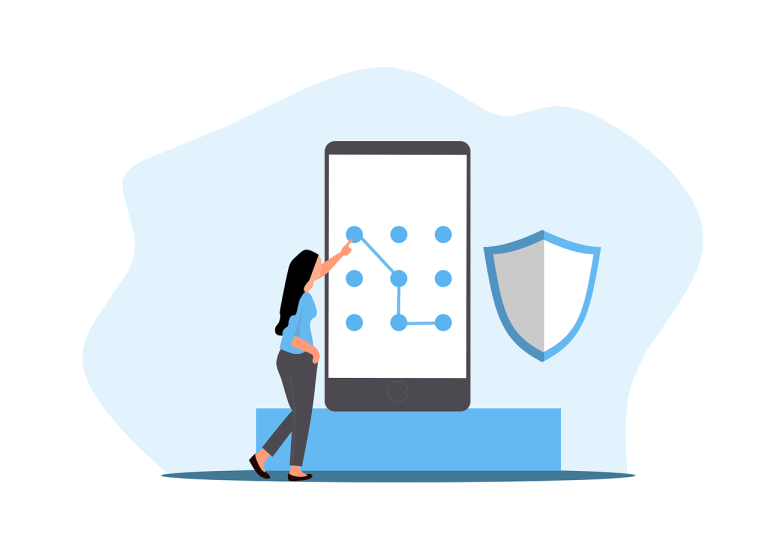
Cyber threats are getting smarter by the day, meaning businesses, government agencies, and even individuals in Northern Kentucky are at constant risk of data breaches, stolen identities, and financial loss—especially if they’re still using “password123.”
Strong passwords and updated login practices aren’t just best practices—they’re must-haves for keeping your business safe. At Simple IT, we help organizations across Northern Kentucky stay protected with cybersecurity solutions, business continuity planning, and rock-solid access control. This quick guide breaks down password security basics, two-factor authentication (2FA), and the rising stars of login protection—without getting too geeky about it.
Why Are Strong Passwords Still a Big Deal?
Think of your password as the front door key to your digital life. Weak keys (like “qwerty” or your dog’s name) are easy pickings for hackers using tools like brute-force attacks or password spraying.
We see it all the time: folks reuse the same password across email, banking, and work accounts. Sure it's easy to remember the same simple password and it may save a few seconds, but all it takes is one data breach to open the floodgates. And when that happens? Cybercriminals can access everything from payroll data to client info before you even know it happened.
Modern password best practices recommend:
-
At least 12 characters (longer is stronger)
-
A mix of upper and lowercase letters, numbers, and symbols
-
Unique passwords for every account
Not sure how to manage all that? Password managers are lifesavers. They generate strong, random passwords and store them securely—so you don’t have to remember “Xyz!93$tpK@!” for every login. We use a Password Manager here at Simple IT for all the passwords we have to manage, so let us know if you'd like to give it a look to see if it can be a fit for your organization.
How Multi-Factor Authentication (MFA) Protects You Even More
Even the best password can be stolen. That’s where multi-factor authentication steps in—your second line of defense.
With MFA, you’ll need two or more forms of ID to log in, like:
-
Something you know – your password or PIN
-
Something you have – a smartphone or security key
-
Something you are – like a fingerprint or facial scan
Common MFA methods:
-
Text codes (okay, but vulnerable to SIM-swapping)
-
Authenticator apps (like Google Authenticator or Microsoft Authenticator—way safer!)
-
Hardware tokens (ultra-secure physical keys like YubiKey)
At Simple IT, we encourage our clients to enable MFA across their business systems. It’s a simple step that makes hacking way harder—and it’s built into many of the platforms you already use, like Microsoft 365 and Google Workspace.
What’s New in Login Security?
Goodbye, passwords? Not yet—but we’re getting there.
Passwordless login is the new kid on the block, using things like biometrics or security keys instead of memorized words. It’s faster, safer, and honestly easier.
Popular alternatives include:
-
Facial recognition or fingerprint scanning – convenient, though not foolproof
-
Behavioral biometrics – like tracking how you type or move your mouse
-
FIDO standards – used by Microsoft, Apple, and Google to support password-free logins
While these trends are exciting, no tech can protect against human mistakes. Education is still key. That’s why Simple IT offers cybersecurity training to help local businesses and agencies avoid phishing traps and social engineering scams.
How to Keep Your Password Game Strong
Let’s simplify: You don’t need to be a tech wizard to stay secure. Just follow a few smart habits:
✅ Use unique, complex passwords (consider using a Random Password Generator to help)
✅ Turn on MFA wherever you can
✅ Monitor for data breaches (sites like www.haveibeenpwned.com can help)
✅ Beware of phishing—don’t click suspicious links or download mystery files
✅ Store passwords in a trusted password manager
And if you manage a business or agency? Make password policies part of your workplace culture. Train your team, enforce smart guidelines, and check in regularly to keep systems locked down.
Top Password Mistakes (That We All Need to Quit)
Let’s get real—no one’s perfect. But avoiding these common missteps can make a huge difference:
🚫 Using obvious passwords (yes, “admin123” still happens, and this is one our all-time favorites to avoid)
🚫 Reusing the same password for everything
🚫 Skipping 2FA because it’s “too much work”
🚫 Writing passwords on sticky notes or saving them to a file on your device (seriously, don’t!)
🚫 Never updating passwords, especially after a breach
If any of these sound familiar, it’s time for a refresh. Don’t worry—we’ve all been there. Start small by changing one or two passwords today, then work your way up. (And PLEASE don't record them in an Excel file as you go!!)
Want Help Securing Your Digital Doors?
Cybersecurity doesn’t have to be scary, or overwhelming, or difficult. Whether you're running a small business in Florence, managing logistics in Covington, or overseeing a local agency in Boone County, Simple IT has your back and a plan to help make securing your passwords nice and easy.
From smarter passwords to full-scale cybersecurity solutions throughout the Northern Kentucky area, we help protect data, people, and the reputation of those we serve.
Ready to level up your password strategy?
Let’s chat. Contact us for tailored IT support that works for, as well as with, your team, and won't require a tech dictionary to operate smoothly.
—
This Article has been Republished with Permission from The Technology Press.


