Have you ever considered how exposed your business may be to becoming a victim of a cyberattack? If you’re answer is “Yes”, then you’re not alone and it’s good you’re thinking realistically, because the data shows it’s a real possibility. Nearly 43% of cyberattacks are aimed at small businesses, and the reason is simple… most hackers are counting on your small business having weak or outdated security. Said differently, small businesses tend to be easier targets for a hacker group to get a quick payout. Thankfully, hackers tend to be lazy when they’re going for these easy wins, so small businesses who have basic security measures in-place are often passed over for an easier target.
The good news is there are many easy and affordable things a business can implement to show a heightened security posture. Among the easiest and most effective security measures to implement is Multi-Factor Authentication (MFA). Even if someone has your password, MFA adds an additional barrier making it significantly more difficult for cybercriminals to break in.
In this guide, we’ll show you how MFA works, why it’s a must for your small business, and how to roll it out without headaches or high costs.
Why MFA Is a Smart Move for Small Businesses in Northern Kentucky and Beyond
Hackers don’t just go after big-name corporations. Small businesses in the Northern Kentucky area, and across the country, are often easier targets. All it takes is a single stolen password to open the door to data breaches, financial loss, or even a full system shutdown.
MFA lowers that risk by asking users to verify their identity with more than just a password. Think of it like locking your door with one key, then having a second key for the deadbolt. Even if someone were to have the door key, they wouldn’t have access without the second item.
Cybersecurity isn’t just a tech issue. It’s a business survival issue. MFA is an easy way to show a cybercriminal that your business will put up a fight to defend your systems and make them work a lot harder to breach your data.
So, What Is Multi-Factor Authentication?
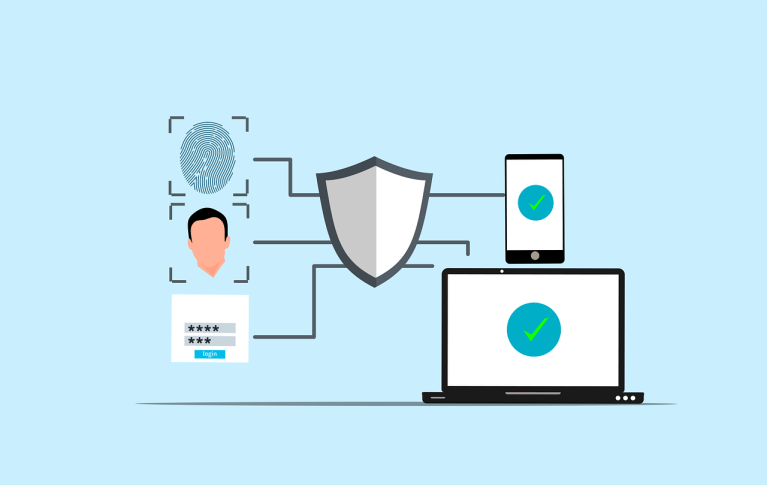
MFA is a login system that asks for two or more forms of proof before granting access. Instead of just typing a password, you also confirm your identity using something else that’s unique to you.
Here’s how it breaks down:
1. Something You Know
This knowledge-based authentication would be something like your password, PIN, or other personal code. Unfortunately, these are often the easiest thing for hackers to guess, phish, or steal, and because they’re often repeated across multiple accounts, they can be the master key a hacker covets to have full access throughout your business.
2. Something You Have
This possession-based authentication could be an item like your smartphone, a key fob, or a security card. Even if someone knows your password, they’ll still need this item to log in.
Examples:
-
A code sent to your phone by text, app or email
-
An app like Microsoft Authenticator
-
A USB security key
3. Something You Are
The third factor is biometric authentication which uses nearly impossible to replicate physical traits to confirm identity. This is known as inherence-based authentication and is obviously one of the most secure factors out there.
Examples:
-
Fingerprint or facial recognition
-
Voice recognition
-
Eye scans in high-security settings
Using at least two of these three factors makes it incredibly hard for attackers to break through. Even if they have your exact password, they’ll also need a physical item or an extraordinarily difficult to duplicate personal trait. Only in the movies would a bad-guy work to overcome all those obstacles!
How to Get Started With MFA in Your Business
Setting up MFA might sound complicated, but it’s not nearly as hard as it seems. Let’s break it down step by step.
Step 1: Review Your Security Setup
Start by identifying which systems are most at risk. Focus on areas like:
-
Business email accounts
-
Microsoft 365 licenses
-
Online banking and payroll
-
Customer databases and CRM’s
-
Remote workers’ desktop access
Start with what matters most, or what could harm your business the fastest, and work down from there.
Step 2: Pick the Right MFA Tool
There are plenty of MFA solutions that work great for small businesses. A few solid options include:
-
Microsoft Authenticator – A smart and free choice if you already use Microsoft 365
-
Google Authenticator – Simple, free and integrated across Google Workspace
-
Duo Security – Easy to set up and manage
-
Authy – Allows multi-device syncing and secure backups
Look for something that balances the right amount of strong protection, cost-effectiveness, and scalability, with the functional ease of use for your team to easily make it part of their daily work life.
Step 3: Roll It Out
Once you’ve picked your MFA tool, start with critical systems and accounts. Make MFA mandatory for all team members, including those working remotely.
Provide clear instructions and training so everyone will understand why this is being done, and make sure they feel supported during the setup. * Tip… Be ready to hear from folks who complain about the time it takes to do this extra step, and let them know the 5 extra seconds it costs them is a small price compared to a $100,000+ cybersecurity insurance claim!
Keep Your MFA Working Smoothly
Cybersecurity is not a one-and-done job. Keep your MFA system running well by staying on top of a few key tasks:
-
Update MFA options as advanced technology is introduced
-
Monitor accounts for any suspicious activity
-
Have a plan for lost fobs or devices
-
Run test drills like simulated phishing attempts to be sure everything’s working as it should
Also, check in with your team from time to time. If MFA starts feeling like a hassle, some folks may look for shortcuts. Keeping the process easy and friendly helps keep security strong.
Common MFA Roadblocks (and How to Handle Them)
Even though MFA is a great security upgrade, the rollout can hit a few snags. Here’s how to deal with the most common ones:
-
Employee Pushback
Some folks might think MFA is just an extra step. Explain the why behind it, show them how easy it is to use, and let them know the important role every employee will be playing to help keep the business secure. -
Tool Compatibility
Older software might not support MFA right out of the box. Choose tools that play nicely with your existing systems and don’t hesitate to check with software support teams for MFA assistance. Asking an outside IT partner, like Simple IT, can also be helpful to integrate MFA across multiple programs and devices. -
Budget Worries
You don’t need to spend a fortune to add MFA. Free tools like Microsoft Authenticator work well for most businesses, and you can always scale up later. Remember, just the slightest bit of extra work you cause a hacker is often all it takes for them to leave your business alone. -
Lost or Replaced Devices
Phones and fobs can get lost or broken, so make sure your MFA system includes a backup plan, like recovery codes or admin resets.
Let’s Get MFA Working for You!
Adding Multi-Factor Authentication is one of the smartest, and easiest, security decisions a small business can make. Requiring a second proof point is all it takes to better protect your systems, your data, and your reputation.
If your business is based in the Northern Kentucky and Cincinnati area, and could benefit from the addition of MFA, then our team at Simple IT is ready to help. We’ll walk you through the MFA process to tailor an enhanced tech support and cybersecurity plan aimed at keeping your business operating safe, productive, and secure.
Contact Simple IT today to schedule your consultation. We’ll take the first step toward your business implementing better cybersecurity together.
—
This Article has been Republished with Permission from The Technology Press.

